When you want a truly compact mouse when traveling, a wireless laptop mouse is a great accessory. Always keep spare batteries on hand and remember that shiny or reflective surfaces can interfere with optical mice. Wireless laptop mice just seem to go great when using wireless Internet access.
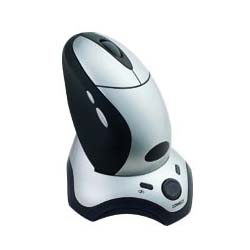
The Fellowes wireless mouse is compatible with all versions of Windows and uses 2 NiMH rechargeable batteries to operate. This mouse uses optical technology and the receiver connects to your laptop's USB port.
The USB reciever on this wireless mouse is thumbsize - perfect for mobile workers when traveling. The receiver can also swivel 90 degrees for optimal flexibility. It has an ON/OFF switch to save power when not in use. This wireless mouse is compatbile with Windows and Mac OS.
The Logitech Cordless mouse uses optical technology which makes it ideal when you don't have a smooth surface available. It includes a carrying case which also protects the cordless mouse - even inside your laptop case. The USB receiver is small and compact and enables you to use the mouse from either side of the laptop.
Optical tracking and a tilted wheel enable mobile professionals to work more effectively. Interference from other wireless devices can be detected and the Microsoft Smart Receiver software advises you and takes you through steps to reducce interference.
This mouse can be used by either lefties or right-handed users and has "no-slip" grips for added ease of use. It is compatible with Windows systems and requires no additional drivers to be installed. This mouse uses optical technology enabling mobile professionals to use it on practically any surface.



No comments:
Post a Comment